Skybox
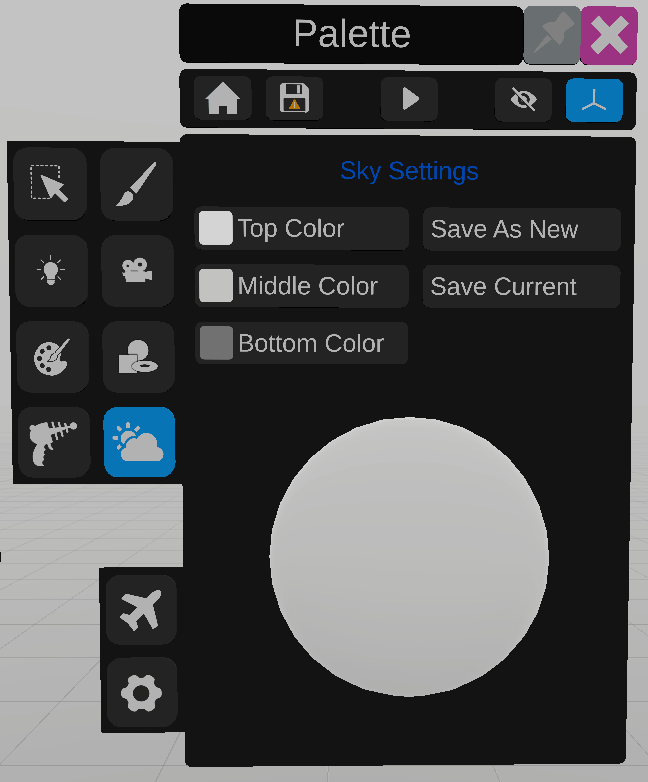
The skybox tool is used to change the color of the skybox.
To edit the color of the top, middle, bottom part of the skybox, select the button, then the color on the color selector.
Presets can be made for skybox settings. Click “Save as new” to create a new preset. “Save current” to overwrite the current preset. Use the panel on the right to select saved presets.
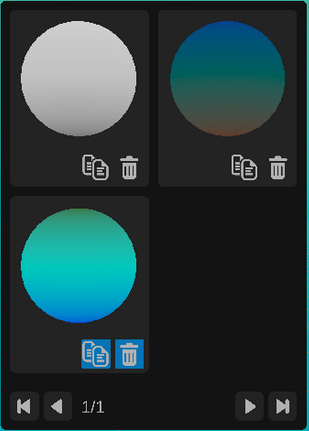
Use the icons at the bottom of the panel to browse available presets.
To create a copy of a preset, click the  icon, to delete a saved preset click the
  icon.
icon.
icon, to delete a saved preset click the icon.